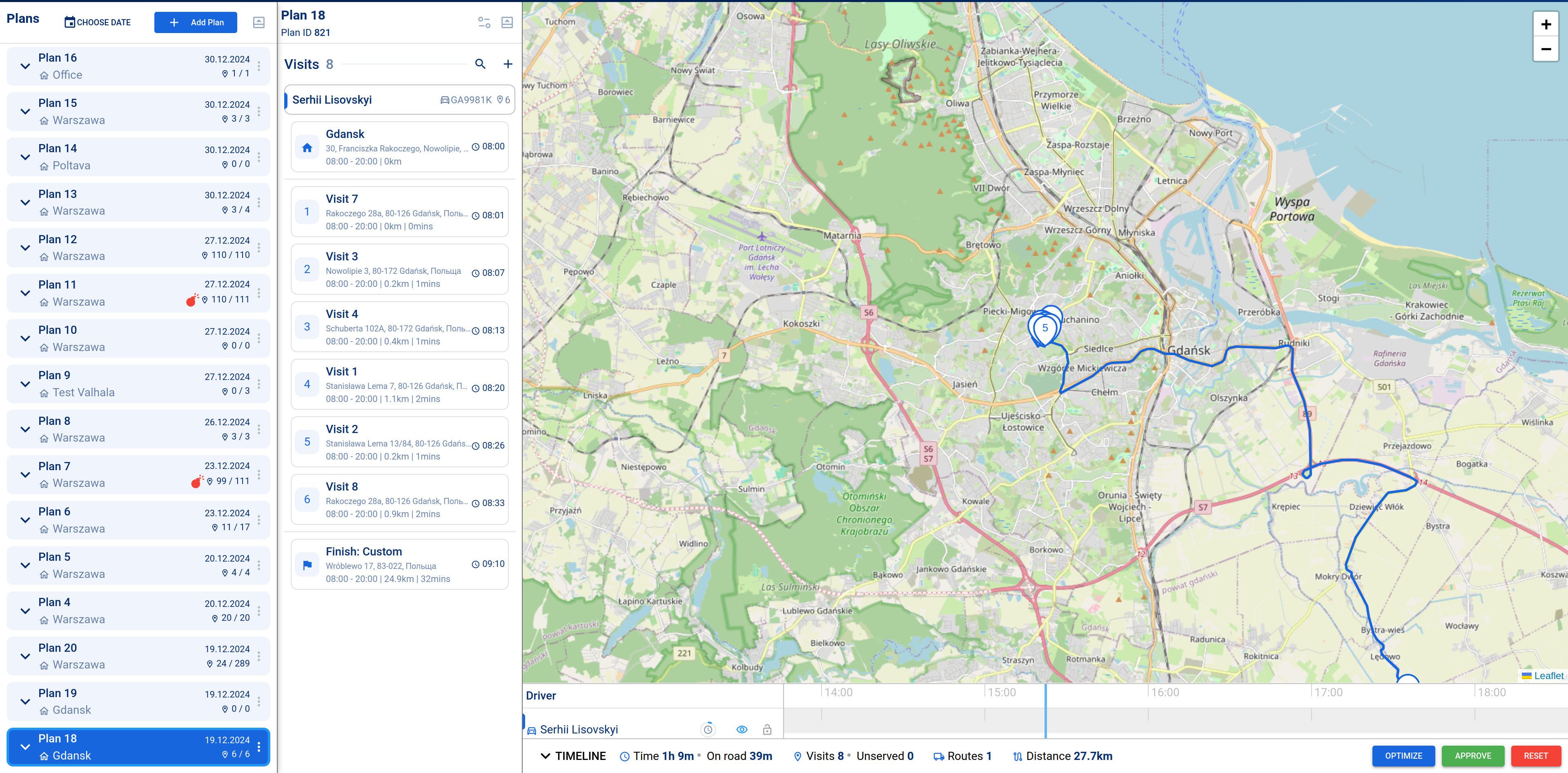
The page provides a brief overview of the main tool sections and their applications
RouteStripe is the tool, designed to streamline logistics management by providing features for, vehicle and courier management, route optimization, and real-time tracking. This document features the key functionalities and how they can improve your delivery workflows.
Features Overview#
General Settings#
Configure your company's information, including:Company name and logos for personalization.
Manage multiple companies via special drop-down menu.
Configure basic settings for route creation
Optimization Settings#
Efficient route planning and optimization:View mapping with routes, stops, and mileage.
Optimize routes automatically, based on:Driver working hours and availability.
Stop duration, lunch breaks, and other constraints.
Minimize vehicle usage or optimize route duration/frequency.
Automatically calculate the required number of vehicles.
Vehicles Management#
Centralized table to manage all vehicles:ID, title, license plate, assigned driver.
Load capacity, max visits, warehouse location.
Status (active/inactive) and working hours.
Add or update vehicle records as needed.
Quick vehicle search based on plate, title, or driver.
Warehouses#
Maintain an organized warehouse database:Includes ID, name and address.
Edit, activate or deactivate storage facilities.
Couriers and Team Management#
Track and manage your workforce:Couriers, admins, and dispatchers are organized in a table, that includes names, contact details, and roles.
Modes and Functionalities#
Planning Mode#
Allows detailed delivery planning:Map and timeline views of routes, including:Number of stops, start and finish addresses.
Driver and vehicle assignments.
Create and manage plans for specific dates and locations.
Supports route clustering and allows micro-management.
Tracking Mode#
Monitor delivery progress:Categorizes routes as upcoming, en route, or completed.
Displays real-time updates on vehicle location and delivery status.
API Integration#
Enable system integration:API for route optimization and data retrieval.
Access tokens, configuration settings, and API call history.
Flexible for custom optimization criteria.
Track expenses and invoices in one place.
Benefits#
1.
Automated planning minimizes errors and reduces manual effort.
2.
Provides live updates to adjust routes dynamically.
3.
Unified platform for managing couriers, vehicles, warehouses, and routes.
4.
Adapts to both small and large-scale operations.
5.
Tailor optimization criteria for specific business needs.
Modified at 2026-03-27 15:31:08